oberwalder.net
← All apps
ST Remote launch artwork — a glowing blue signal icon over a wave of light
ST Remote app icon

ST Remote

Internet radio for Bose SoundTouch, without the cloud

iPhone

ST Remote brings internet radio back to your Bose SoundTouch speakers.

When Bose shut down the SoundTouch cloud service, internet radio browsing, preset syncing, and stereo pairing stopped working — even though the speakers themselves were never the problem. ST Remote talks to your SoundTouch speakers directly over your home Wi-Fi, using only the local network features Bose left in the hardware. No cloud, no account, no subscription.
Screenshots

See it in action

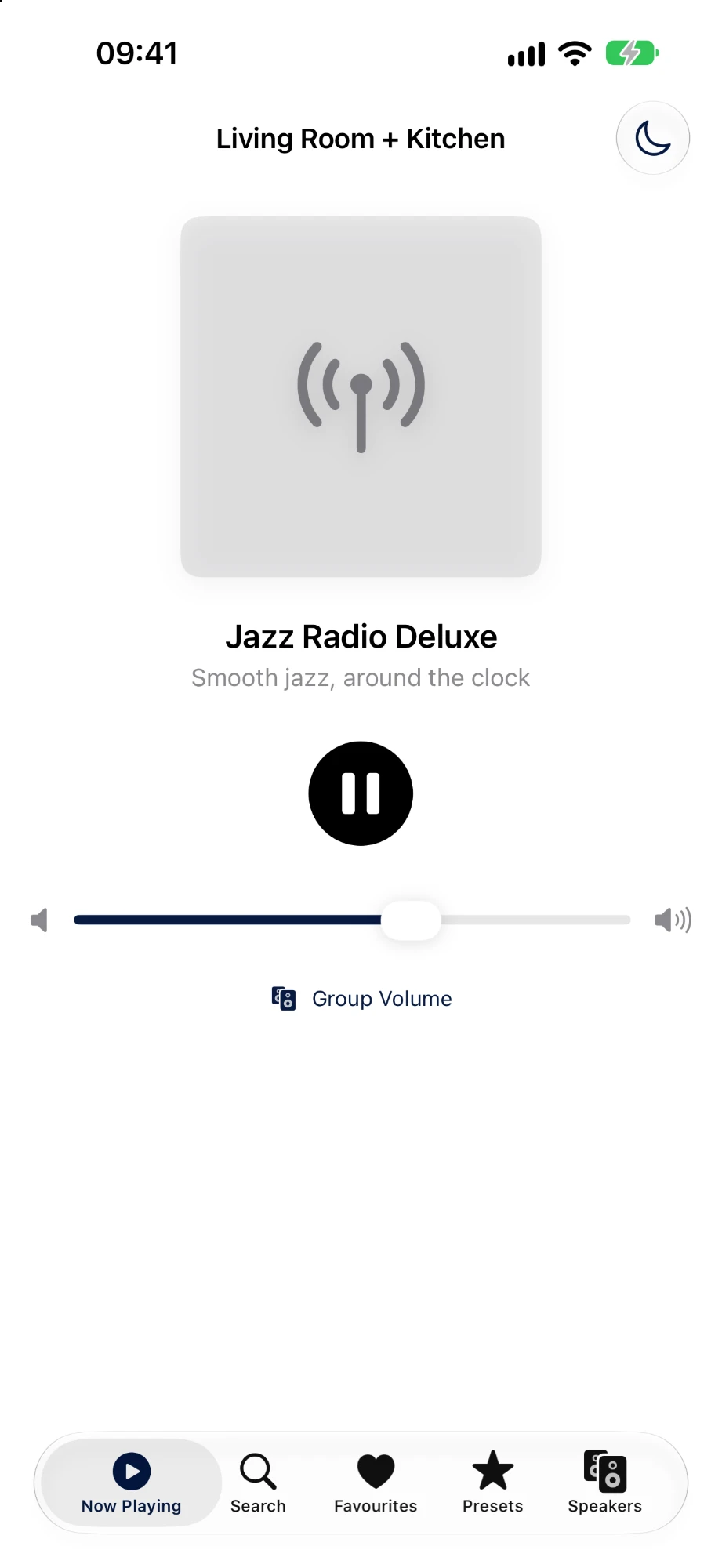
Now Playing screen showing Jazz Radio Deluxe with play and volume controls
Now playingPlay, pause and volume in one place.
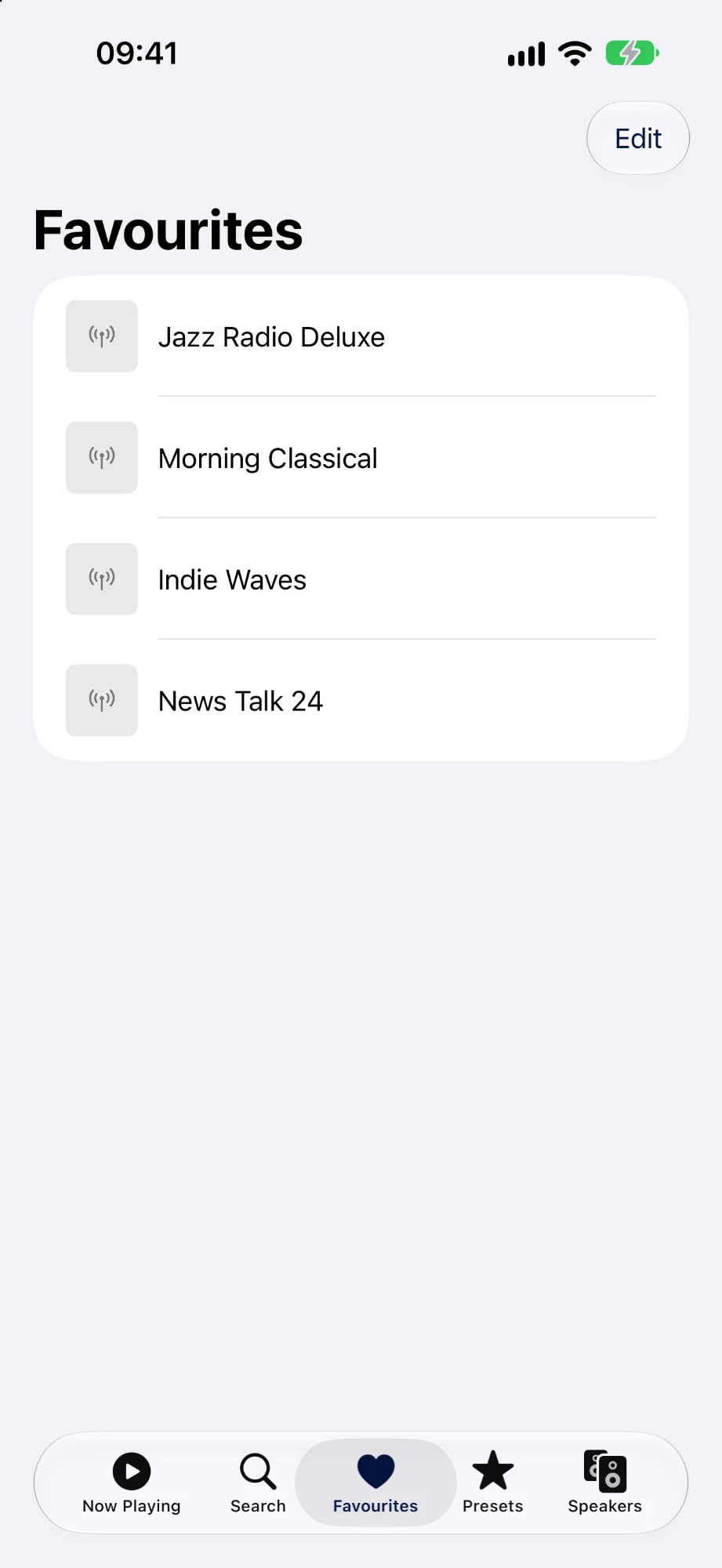
Favourites list with four radio stations
FavouritesYour go-to stations, one tap away.
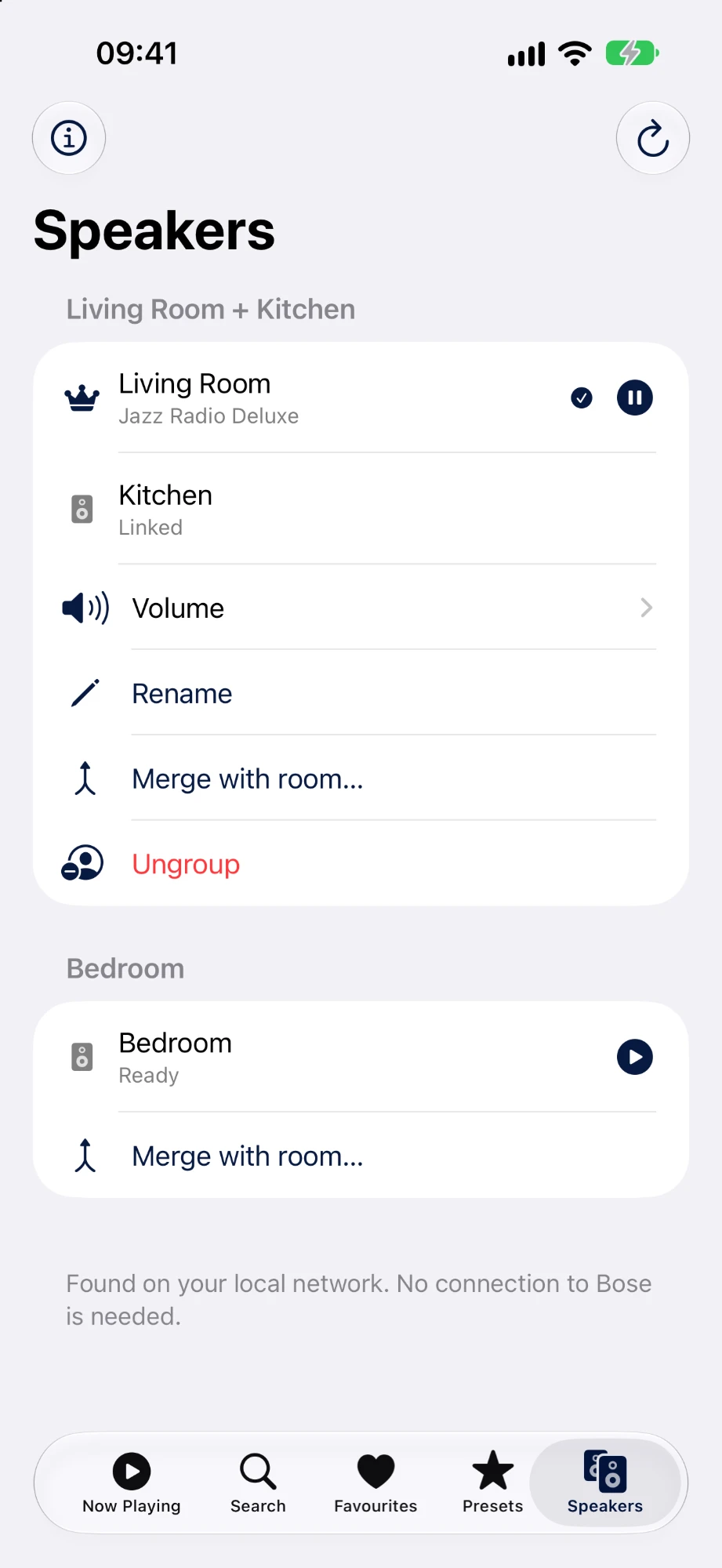
Speakers screen with a grouped Living Room and Kitchen and a separate Bedroom
Your speakersEvery speaker and room on your network.
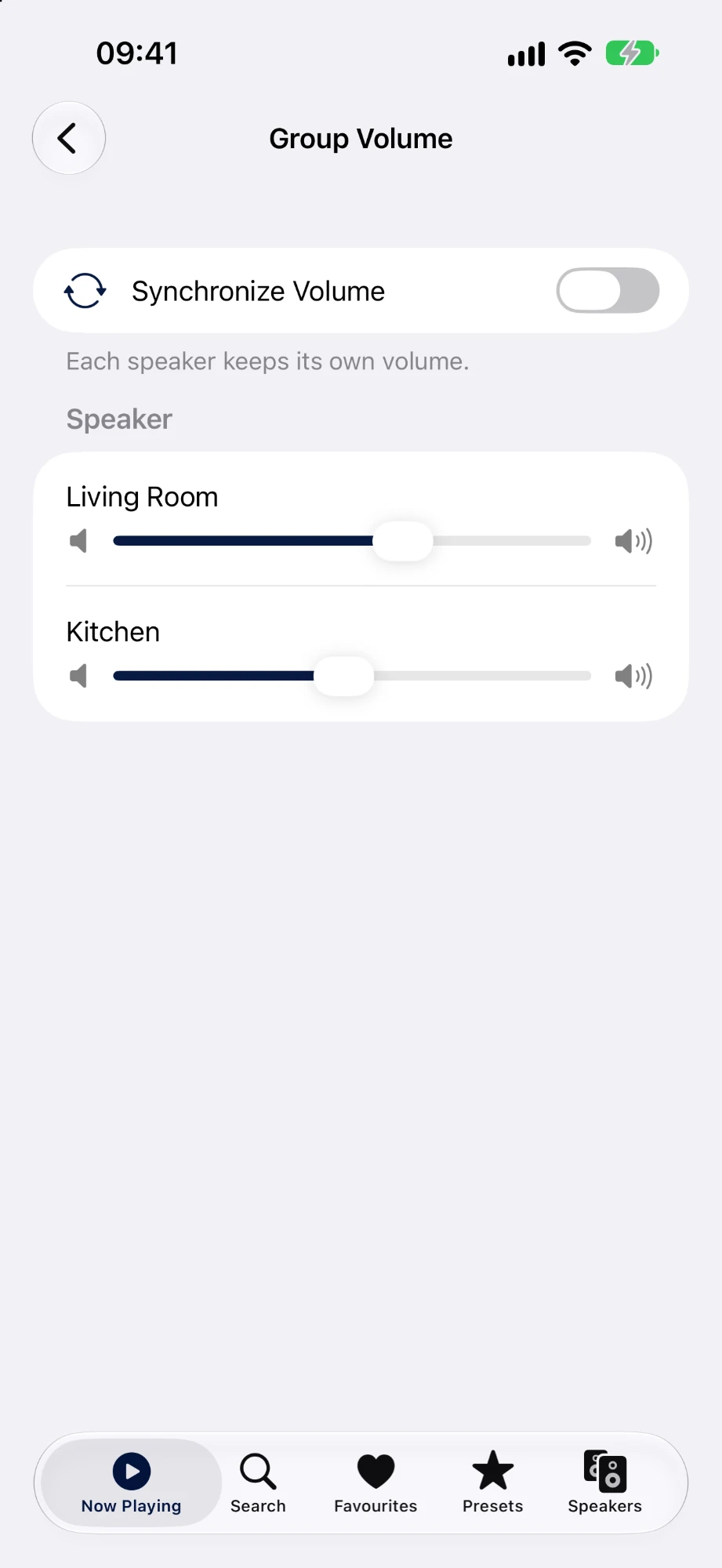
Group Volume screen with an individual slider for each speaker
Group volumeFine-tune each speaker on its own.
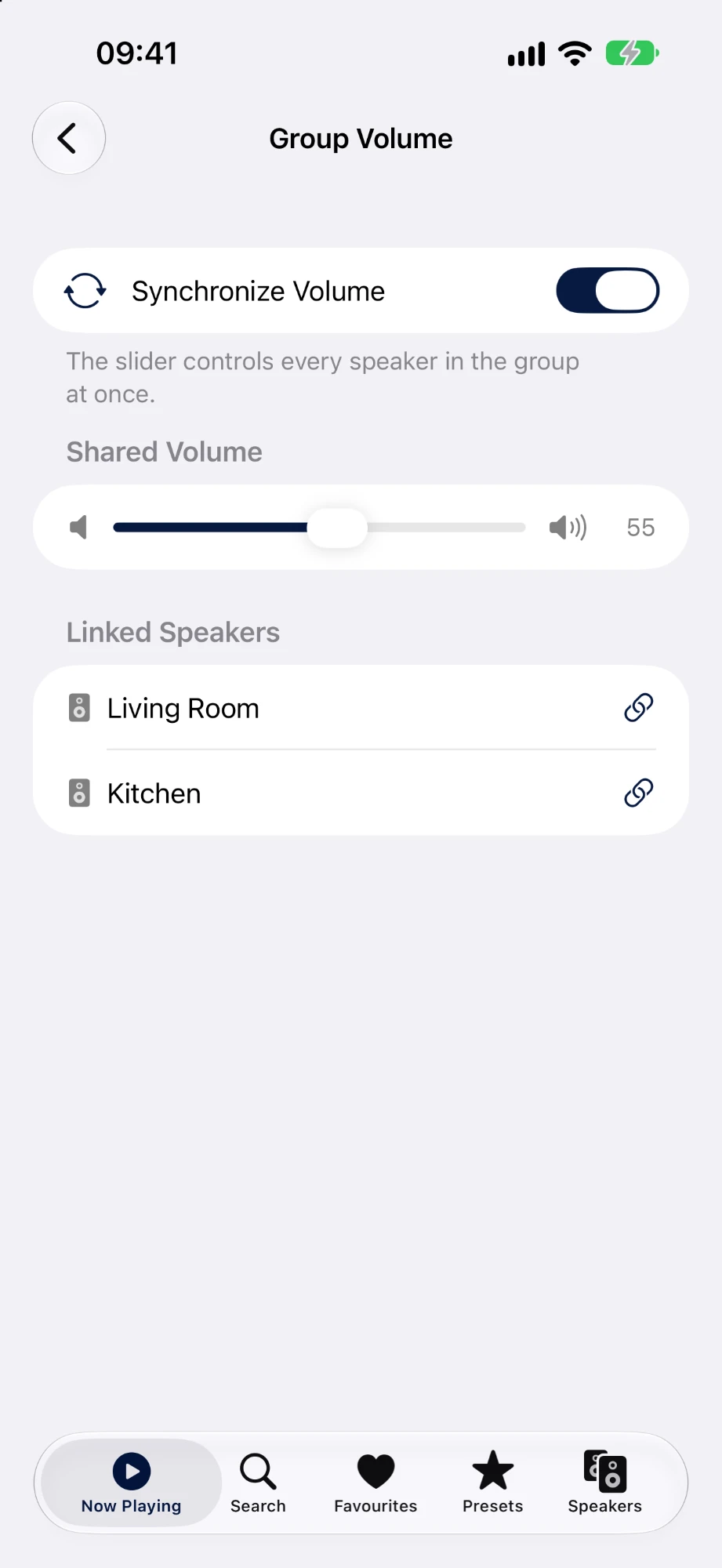
Group Volume screen with Synchronize Volume on and one shared slider
SynchronizedOne slider for the whole group.

Why this app exists

Your SoundTouch speaker still has a built-in web server and a local streaming engine — Bose just stopped feeding it from the cloud. ST Remote reconnects the pieces: search for a station, hand the stream to the speaker, and let the speaker do what it has always done.

Search and play

  • Search a large built-in catalog of about 40,000 stations from the open Radio-Browser directory, bundled right in the app — no live lookups needed to find a station.
  • Play stations directly on the speaker whenever possible — once playback starts, the speaker keeps playing even if you lock your phone or leave the room.
  • For the few stations that only stream over HTTPS (which SoundTouch hardware can't play directly), ST Remote relays the stream locally so it still plays.

Station coverage

The built-in catalog covers around 40,000 stations from more than 200 countries. The details come from the Radio-Browser community, so individual stations can go offline or change between app updates.

Control your whole system

  • See every SoundTouch speaker on your network and wake sleeping ones with a tap.
  • Group multiple speakers into a multiroom zone with a clear zone leader.
  • Adjust group volume with one synced control, or fine-tune each speaker independently.
  • Your original presets are recognized and playable.

Privacy by design

ST Remote never talks to a server of ours. It doesn't need an account, doesn't track you, and doesn't send your listening habits anywhere. Everything happens between your phone and your speakers, on your own network.

Requirements

  • A Bose SoundTouch speaker on the same Wi-Fi network as your phone.
  • iOS with local network access permission.